

VisitoJS
Device identification for the browser in one 7.5 kB script: a stored ID, a fingerprint ID and flags for what could not be read. No network requests, no dependencies.


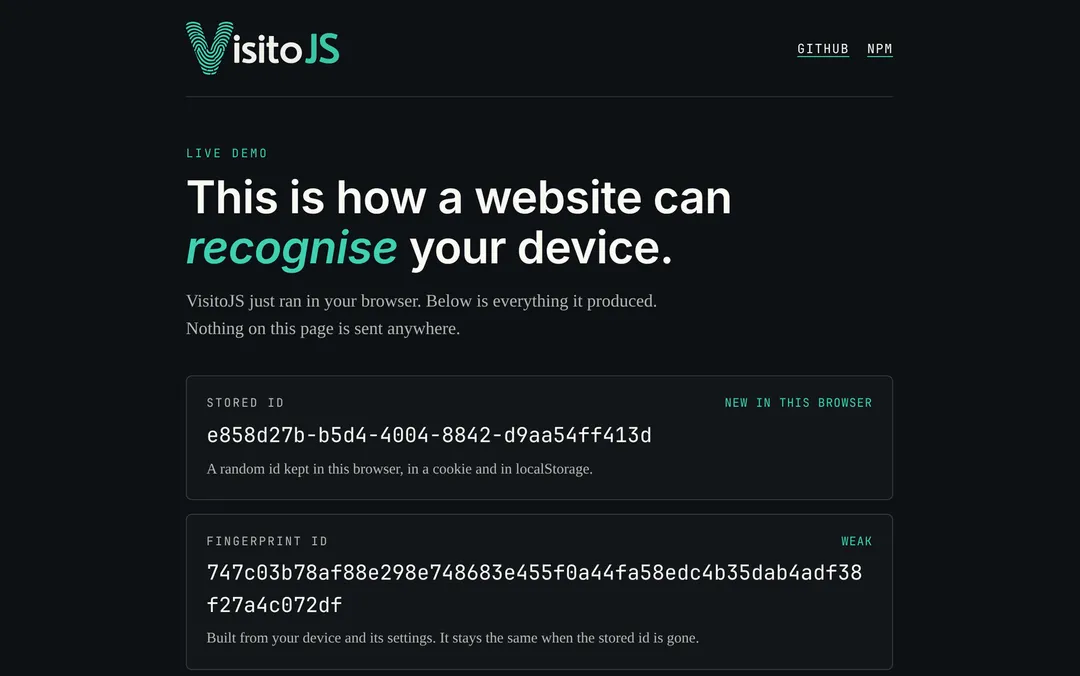
VisitoJS tells a website which device is visiting. It gives every browser two ids: one it stores, and one it builds from the device itself, for the day the stored one is gone. It also says how far each reading can be trusted. The whole core is 7,460 bytes gzipped, has no dependencies, and makes no network request.
I built it and I maintain it. It’s free and MIT licensed.
Why it exists
A web page can’t read a device id. There is no IMEI, no MAC address and no serial number in the browser, so every site that needs to know “has this device been here before?” has to build the answer itself.
The first answer is a random id in a cookie. It works until the visitor clears their data, opens a private window, or taps a link inside Instagram, where the in-app browser keeps its own cookies and the same phone becomes a new visitor.
The second answer is a fingerprint: a hash of what the browser reveals. Most fingerprints include version numbers or drawing output, so they change with every browser update. Brave, Safari and Firefox randomise some of those values on purpose. And the libraries that do the work are often larger than the page they protect, and some send requests of their own.
VisitoJS does both jobs in one small file and reports how firm each result is. When it can’t read a value, it says so and gives no id, where a guess would have given a wrong one.
What you get
{
  "v": 3,
  "did": "3f1c9a52-7d0e-4b6a-9c1e-2a5b8d4f6e10",
  "didNew": false,
  "id": "a46245e0...",
  "idStrict": "110d1171...",
  "model": "Pixel 10",
  "os": "android",
  "osVer": "17",
  "app": "chrome",
  "appVer": "157.0.0.0",
  "flags": { "partial": [], "auto": [], "private": null, "weak": false }
}didis the stored id, kept in a first-party cookie and in localStorage. It’s ready the moment the script runs, and lasts until the site’s storage is cleared.idis the fingerprint id. It has no version numbers in it, so a browser or app update alone doesn’t change it.idStrictadds the OS and app versions, to tell similar devices apart inside a short window.flagstell your server how firm the reading is: a read that failed, a browser that names no device model, a private window where the browser reveals it, and signs of automation.
Add it to a page
From the CDN, with the file’s hash so the browser refuses anything else:
<script src="https://cdn.jsdelivr.net/npm/visitojs@1.0.0/dist/visito.min.js"
        integrity="sha384-tRACvKo0CYtFU1/Ku84LiHwYALdV9Qxc7ZWmqGw8lkqfKUqlnkj/ROePV2J2ZgZZ"
        crossorigin="anonymous"></script>
<script>
  Visito.get(function (visitor) {
    if (!visitor) return       // null inside a frame
    console.log(visitor.did)   // stored id
    console.log(visitor.id)    // fingerprint id
  })
</script>
Or from npm:
npm install visitojsimport { get } from 'visitojs'
get((visitor) => {
// send visitor.v, visitor.did, visitor.id, visitor.idStrict and visitor.flags to your server
})The live demo shows the ids of your own device. Reload it, open it in a private window, open it in another browser, and compare. The page sends nothing anywhere.
How it works
- At script start it reads its stored id and parses the user agent into model, OS, app and versions.
- When the page has parsed, it reads the text-size setting. Where the user agent hides the phone model, it asks the browser’s client hints for it. On devices that name no model, screen size and core count stand in.
- It hashes those parts with SHA-256 into
id, and adds the version fields foridStrict. - Values that Brave, Safari and Firefox hide or randomise are left out, and
flags.weakis set when an id rests on fewer values. - A 24-hour cache makes both ids available at script start on the next visit.
Every read is wrapped, so the library doesn’t throw into your page, and it still calls back when a browser API is missing or broken. Your server can recompute both ids from the raw values in the reading.
Four entries
| Import | Gzipped | What it is |
|---|---|---|
visitojs |
7,460 bytes | The core: stored id, id, idStrict and flags. Reads no canvas, WebGL or audio. |
visitojs/defer |
7,568 bytes | The core with one more call, start(). Nothing is read or stored before it, so it can wait for consent. |
visitojs/match |
1,783 bytes | Runs on your server. Compares a reading with earlier ones when the stored id is missing. |
visitojs/deep |
6,402 bytes | Experimental. A separate id from one canvas drawing and an offline audio render, read only when your page calls it. |
A test in the repository fails the build if the core grows past 8,192 bytes.
Measured beside other libraries
On 13 November 2026 the core was run beside the published builds of FingerprintJS 5.3.0, ThumbmarkJS 1.12.0 and get-browser-fingerprint 5.2.4, through the same checks with default options, in Chromium, Firefox and WebKit.
- VisitoJS made no network request in any run.
- No error reached the page in any of 19 visits with a broken browser API, and every one of them got an answer.
- The
idstayed the same across 20 reloads, a user-agent version bump, a screen rotation and cleared storage. - At 7,460 bytes it is less than half the size of the largest library compared (16,418 bytes).
It doesn’t win every row. get-browser-fingerprint is smaller, and FingerprintJS returned a fingerprint in more of the fault visits in Firefox and WebKit. That second one is by design: when a read that an id is built from fails, VisitoJS returns no fingerprint id and names the read. The full table has every row, the method and the command that reproduces it.
One device, several browsers
On a Pixel 10, Chrome, its incognito window and the Instagram and Facebook in-app browsers all gave the same id. The parser knows the in-app browsers of Facebook, Instagram, Messenger, TikTok, Snapchat and WhatsApp. Browsers that hide values, such as Brave, get an id of their own.
Consent and privacy
VisitoJS stores one id in a first-party cookie and in localStorage, plus a 24-hour cache of a few values. It sends nothing anywhere. Your page decides what leaves the browser.
Device identification is regulated, and in the EU reading a device to identify it generally needs consent. The deferred build loads without reading or storing anything, and starts when your page calls start(), for example once the visitor has agreed. docs/LEGAL.md lists every stored item, how to remove them, and the texts to read first. It isn’t legal advice.
What it doesn’t claim
- The fingerprint id is not unique. Devices of one model with the same settings share it, which is why the stored id comes first.
- No accuracy figure has been measured on enough devices to state one.
- The eight automation marks in
flags.autoare easy for a careful bot to patch. An empty list means none was observed, nothing more. - Inside a frame it reads nothing and returns
null.
Browser support
The output is ES5 and runs back to Chrome 53. A release ships only after every build runs in Chrome 53, 59, 63, 68 and 80 and gives the ids Node recomputes. CI also runs the browser tests in Chromium, Firefox and WebKit. Version 1.x gets security and browser-drift fixes for 24 months from the release of 1.0.0.
Read more
- Get a device ID in JavaScript with browser fingerprinting: the problem in full, and how to use both ids on your server.
- API reference: every call, field, flag and automation mark.
- Signals: every value the library reads.
- npm package and changelog.