

DZBuild POS
Point of sale and stock management for Algerian shops. Works offline, prints in Arabic, French and English, and follows Algerian invoicing rules. Free and open source.
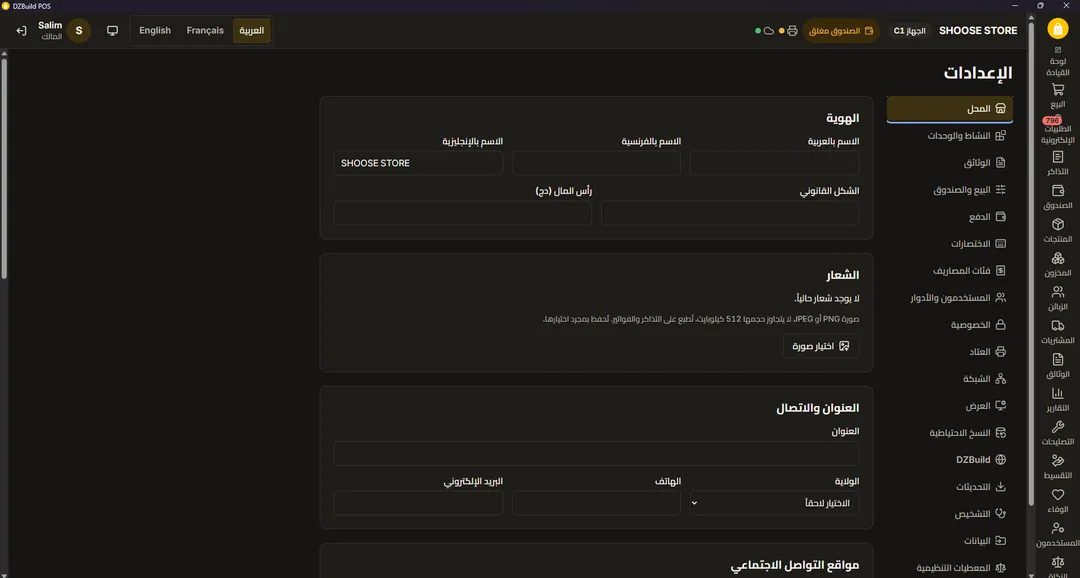
DZBuild POS runs the counter of a shop: the till, the stock, customer credit (kridi), suppliers, and the invoices Algerian law requires. It runs on an ordinary Windows PC, keeps selling without internet, and works in Arabic, French and English, on screen and on paper. There is no licence key, no subscription and no account. The code is open under GPL-3.0.
I work on it with the DZBuild team.
Why it exists
Shop software in Algeria usually means a yearly licence or a monthly subscription, so many shops keep their sales in a register and their kridi in a notebook. Tills that depend on a connection stop when the line drops, which tends to happen when the shop is full. Receipt printers often can’t print Arabic. And the local rules, from stamp duty on cash payments and gap-free invoice numbers to the mentions required by décret 05-468 and the G50 declaration, are simply missing from generic software.
A day at the till
- Open the cash session with the morning float.
- Sell with the barcode scanner or the keyboard. Stamp duty and change are worked out as you type. A customer can split the payment, or put it on credit up to their limit, with a manager’s approval above it.
- A supplier delivers. Receive it against the purchase order, even if only part of it arrived. Stock and the weighted average cost (CMUP) update on their own.
- Close the day with a Z report. Backups run automatically. If the shop has a second till, it keeps selling even when the main PC or the network goes down, and sends its sales when they’re back.
What’s inside
Stock is kept as a ledger that is only ever added to, never rewritten. It handles counts with the scanner, transfers between locations, lots and expiry dates (first to expire, first out), and serial numbers or IMEI for phones.
Documents cover quotes, proformas, delivery notes, invoices and credit notes, all numbered without gaps. There are 60 reports, including VAT, stamp duty, the sales and purchase registers and a G50 helper, plus a fiscal archive with a SHA-256 manifest that can be verified later.
On the hardware side it drives ESC/POS receipt printers (Arabic is printed as an image, so it always comes out right), A4 and A5 invoices and PDF, label printers, scales with weight barcodes, the cash drawer and a customer screen on a second monitor.
Setup starts from one of 25 trade templates, from restaurant and pharmacy to butcher, phone repair, wholesale and jewellery. Existing product lists come in from Excel or CSV, including files saved in the older Windows Arabic and French encodings.
What it refuses to do
No fictive invoices, no hidden “non-billable” stock, no deleting sales. These are illegal in Algeria, and the software won’t do them. A validated document can’t be edited: it is corrected with a credit note or a return, and every change goes into a hash-chained audit journal.
Under the hood
The core is Rust on SQLite, with every amount stored in whole centimes so totals never drift. Tauri 2 is the desktop shell and the interface is React 19 with TypeScript. The interface has no database access of its own; it calls typed commands. The reference machine is a shop PC with 4 GB of RAM.
Getting it
Download it from dzbuild.com/pos or from GitHub Releases. It runs on Windows 10 (1809 or later) and Windows 11, 64-bit or 32-bit. There is an offline installer that fits on a USB stick for shops without internet.
A shop that also sells online can link the POS to a DZBuild store to share products and stock and receive online orders at the till. The link is optional and nothing in the POS depends on it.